
The Problem Every Marketer Faces
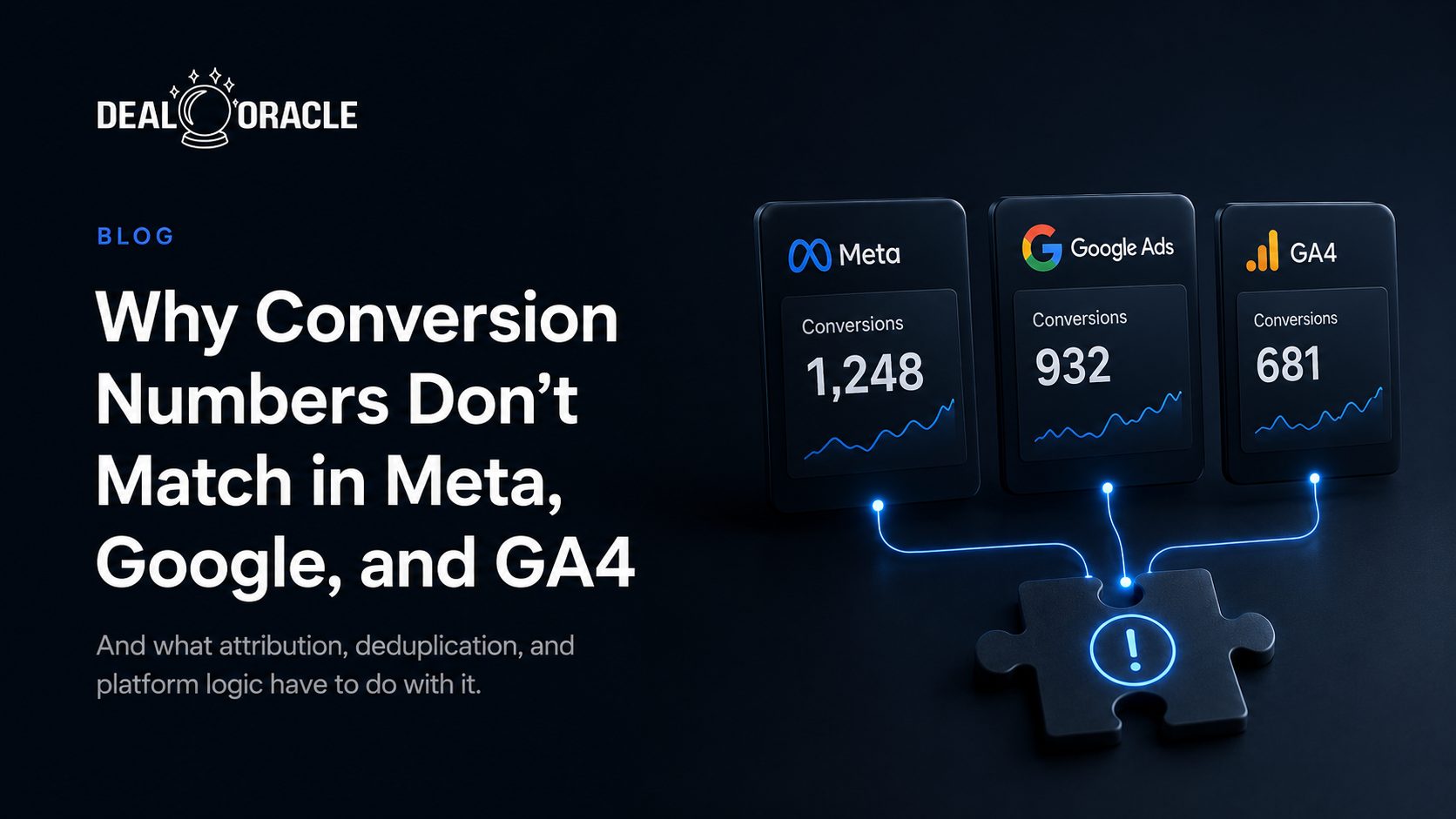
You check Meta Ads Manager: 100 conversions. You open Google Ads: 78 conversions. You pull up GA4: 62 conversions. Your CRM shows 95 actual sales.
Four platforms. Four different numbers. None of them match.
If this sounds familiar, you're not alone. This is the single most confusing aspect of digital advertising in 2026, and it causes marketers to:
- Lose trust in their data entirely
- Make budget allocation decisions based on unreliable numbers
- Spend hours trying to reconcile reports that will never reconcile
- Blame their tracking setup when the discrepancy is actually by design
Here's the uncomfortable truth: your conversion numbers will never match perfectly across platforms. Each one counts conversions using fundamentally different rules. But understanding why they differ — and knowing what's an acceptable gap vs. a broken setup — will save you countless hours and lead to better decisions.
Why the Numbers Will Never Match
Meta, Google Ads, and GA4 aren't just different dashboards showing the same data. They're three separate systems with different:
- Tracking technology — Meta uses its pixel + CAPI, Google uses gtag + Enhanced Conversions, GA4 uses its own measurement protocol
- Attribution models — each platform has its own logic for deciding which ad "gets credit" for a conversion
- Counting rules — they disagree on when to count a conversion and what counts as one
- Data sources — some rely on cookies, some on server data, some on statistical modeling
Think of it like three witnesses to the same event — they each saw it from a different angle and will tell a slightly different story. None of them are lying, but none of them have the complete picture.
| Meta Ads | Google Ads | GA4 | |
|---|---|---|---|
| Default Attribution Window | 7-day click, 1-day view | 30-day click | 30-90 day (configurable) |
| Attribution Model | Last-touch (own network) | Data-driven | Cross-channel last-click |
| Conversion Date | Date of ad click | Date of ad click | Date of actual event |
| View-Through Conversions | Yes (1-day default) | Limited | No |
| Modeled Conversions | Yes (fills iOS gaps) | Yes (Consent Mode) | Yes (behavioral modeling) |
| Typical Variance vs CRM | +15-26% over | +15-20% over | -18-35% under |
The 4 Root Causes of Cross-Platform Discrepancies
1. Attribution Windows
Meta's default is a 7-day click and 1-day view window. If someone sees your Meta ad (no click) and converts within 24 hours, Meta claims credit. Google Ads doesn't count view-throughs by default.
This means a single conversion can be counted by Meta but completely invisible to Google — or vice versa when someone clicks a Google ad and converts 15 days later (within Google's 30-day window but outside Meta's 7-day window).
2. Click Date vs. Event Date
This one catches everyone off guard. Google Ads records conversions on the date of the ad click, not the date of the purchase. If someone clicks your ad on March 1 and buys on March 8, Google Ads attributes that sale to March 1.
GA4, on the other hand, records it on March 8 — when the transaction actually happened. If you're comparing daily reports, the same conversion shows up on different days in each platform.
3. Modeled Conversions
When platforms can't directly observe a conversion (due to iOS ATT, cookie blocking, or ad blockers), they estimate it using statistical models:
- Meta models conversions for iOS users who opted out of tracking — this can inflate reported numbers by 15-26%
- Google Ads uses Consent Mode v2 to model conversions for users who reject cookies
- GA4 under-reports by 18-35% because it doesn't model as aggressively — it only counts what it can directly measure
4. Cookie Blocking and Ad Blockers
GA4 relies heavily on client-side JavaScript. When a user has an ad blocker (40%+ of users) or rejects cookies, GA4 simply doesn't see the conversion. Meta CAPI and Google Enhanced Conversions can partially compensate via server-side tracking, but GA4's client-side nature means it consistently under-reports.
2026 Platform Changes
Meta removed the 28-day click attribution window option in January 2026, making cross-platform comparison even trickier. Meanwhile, Google introduced flexible per-conversion attribution settings on January 16, 2026, letting you adjust windows independently for each conversion action. If you haven't reviewed your attribution settings since these changes, your reports may be more misaligned than usual.
What's an Acceptable Variance?
Not all discrepancies mean something is broken. Here's a rough guide:
- 5-10% difference — Normal and expected. Different attribution models will always produce slightly different numbers. Don't waste time chasing this.
- 10-20% difference — Worth investigating but often explainable by attribution window differences, view-through conversions, or modeled data. Check your settings.
- 20%+ difference — Something is likely broken. Check for expired tokens, misconfigured events, missing CAPI/Enhanced Conversions setup, or duplicate event firing.
The "Ground Truth" Test
Your CRM or backend database is your ground truth — it records actual sales or leads regardless of which platform claims credit. Compare each platform against your CRM:
- If Meta reports significantly more conversions than your CRM, it's likely counting view-throughs and modeled conversions
- If GA4 reports significantly fewer than your CRM, it's likely missing conversions due to ad blockers and cookie rejection
- If Google Ads is close to your CRM, your Enhanced Conversions setup is working well
How Server-Side Tracking Reduces the Gap
You can't eliminate cross-platform discrepancies entirely — the platforms will always use different attribution models. But you can minimize the gap by ensuring each platform receives the same high-quality conversion data.
Server-side tracking helps in three key ways:
1. One Event, All Platforms
When a conversion happens, your server sends it to Meta CAPI, Google Enhanced Conversions, and TikTok Events API simultaneously. Same user data, same timestamp, same event ID. This eliminates discrepancies caused by client-side tracking failures.
2. Immune to Client-Side Blocking
Ad blockers and cookie rejection don't affect server-side events. This is especially impactful for GA4 comparisons — if you supplement GA4 with Measurement Protocol events sent server-side, GA4's under-reporting drops significantly.
3. Consistent Deduplication
By using the same event_id across all platforms, each platform can properly deduplicate against its own pixel/tag events. This prevents the double-counting that inflates platform-reported numbers.
How DealOracle Helps
DealOracle acts as the single source of truth between your CRM and all ad platforms:
- Unified event dispatch — one form submission triggers simultaneous server-side events to Meta, Google, and TikTok with identical user data
- Consistent event IDs — the same deterministic event ID is sent to every platform, ensuring clean deduplication everywhere
- Full customer data — email, phone, name, and all click IDs (fbc, gclid, ttclid) are captured once and sent to all platforms
- Match quality dashboard — see your Event Match Quality (Meta), match rate (Google), and delivery status (TikTok) side by side
- CRM-aligned reporting — compare what each platform reports against your actual lead/sale count
You'll never get Meta, Google, and GA4 to agree on exact numbers. But with DealOracle, you can ensure each platform is getting the best possible data — and understand exactly why they differ.
Conclusion
Cross-platform conversion discrepancies aren't a bug — they're a feature of how digital attribution works. Meta, Google Ads, and GA4 each use different windows, models, and counting rules, and they always will.
The key takeaways:
- Stop trying to make the numbers match exactly — use your CRM as ground truth
- A 5-10% variance is normal — investigate anything above 20%
- Server-side tracking reduces the gap — same data, same event IDs, all platforms
- Review your attribution settings — especially after Meta's Jan 2026 changes
Focus less on which platform is "right" and more on ensuring each platform receives complete, accurate conversion data. That's what actually improves your ad performance.