
Key Takeaways
- A page snippet alone can only run the **Meta Pixel** (client-side), it loses 20-30%+ of events to iOS, Safari ITP, and ad blockers. Real **CAPI is server-to-server**. - **GoHighLevel includes a genuinely free native Facebook CAPI** via Workflows, no GTM server, no third party, no extra cost. This is a strong free option. - The free route's catch: you build **one workflow per event**, map everything manually, and it's **Facebook-only** (no Google or TikTok). - **DealOracle** is the affordable done-for-you upgrade: full down-funnel mapping, hashed PII, fbc/fbp recovery, shared event_id dedup, and Meta + Google + TikTok, without building a workflow for each event. - Budget **~20-30 minutes** for the free native setup; less for the managed route. Verify either path in **Meta Events Manager → Test Events**.
GoHighLevel (also called HighLevel or LeadConnector) is two products in one: a funnel/website builder and a full CRM with pipelines. That dual nature is exactly why tracking matters here, the conversions that train Meta and Google's algorithms aren't the opt-ins on your landing page, they're the qualified leads and closed deals that happen days later inside the CRM, where no browser pixel can follow.
The good news: you can do a lot of this for free, because GoHighLevel ships a native Facebook Conversions API feature. This guide walks through that free native setup first, is honest about where it falls short, and then shows when a managed tool is worth paying for.
Pixel vs CAPI: What You're Actually Setting Up
There are two different things people lump together as "conversion tracking," and the distinction decides everything:
- The Meta Pixel is client-side JavaScript. It runs in the visitor's browser, it's free, and it's easy to install, but it loses 20-30%+ of events to iOS restrictions, Safari's Intelligent Tracking Prevention, and ad blockers. A page snippet, by itself, can only ever be a Pixel.
- The Conversions API (CAPI) is server-to-server. Meta's documentation is explicit that your CAPI access token must never be exposed in client-side JavaScript, so you cannot do real CAPI with a page snippet alone. CAPI requires a server, a server-side tag manager (GTM-SS), Meta's Conversions API Gateway, or the platform's own native CAPI feature.
That last option is the whole reason GoHighLevel is a good free pick: its native Workflows feature is a real server-side CAPI sender. You don't need to host anything.
Option 1: The Free / Native Way on GoHighLevel
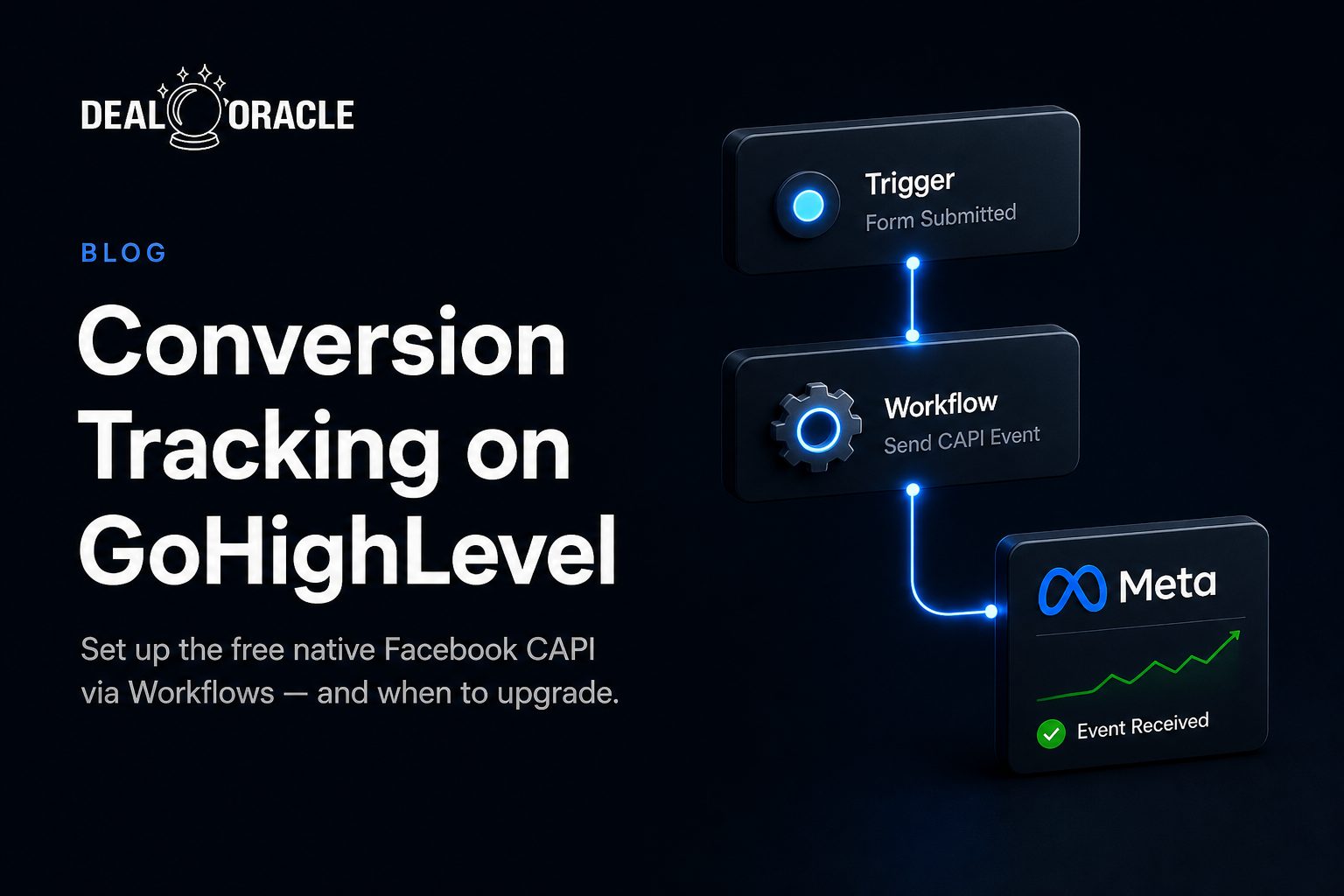
GoHighLevel includes a Facebook Conversion event action you can add inside any Workflow. It sends conversion data to Facebook server-side, no pixel cookie required on the visitor. This is included with your account at no extra cost.
1. Connect Facebook in your sub-account
In your GHL sub-account, go to Settings → Integrations and confirm your Facebook account is connected with admin permissions, and that the correct Facebook Business Page is integrated.
2. Set up the data source in Meta
In Meta Business Suite → Events Manager, make sure you're on the correct Ad Account with access to the Page. Use Connect Data Sources → CRM, then create a new Pixel or pick an existing one. From Events Manager → Data Sources → Settings, Generate an Access Token and copy your Dataset ID (this is your Pixel ID).
3. Build a Workflow with the Facebook Conversion action
Create a Workflow, pick a trigger, then add the Facebook Conversion event action and paste in your Pixel ID and Access Token. Map the event to the right standard event.
- Funnel-event triggers you can use: Form Submitted, Survey Submitted, Customer Booked Appointment, Order Form Submission.
- Lead-event triggers: Facebook Lead Form Submission and Pipeline Stage Change (the latter works when the contact came from a Facebook lead form).
4. Save, publish, and test live
Do not use the workflow "Test" button to test CAPI, HighLevel's docs say it won't fire correctly. Save and publish, then trigger the event for real (submit the form, book the appointment, or move the contact's pipeline stage) and confirm it in Events Manager.
The exact steps are documented in HighLevel Support's Facebook Conversions API Trigger in Workflows article, with a deeper down-funnel example in Facebook Conversions API Lead Event Walkthrough.
<!-- Meta Pixel Code -->
<script>
  !function(f,b,e,v,n,t,s){if(f.fbq)return;n=f.fbq=function(){n.callMethod?
  n.callMethod.apply(n,arguments):n.queue.push(arguments)};if(!f._fbq)f._fbq=n;
  n.push=n;n.loaded=!0;n.version='2.0';n.queue=[];t=b.createElement(e);t.async=!0;
  t.src=v;s=b.getElementsByTagName(e)[0];s.parentNode.insertBefore(t,s)}(window,document,
  'script','https://connect.facebook.net/en_US/fbevents.js');
  fbq('init', '<YOUR_PIXEL_ID>');
  fbq('track', 'PageView');
</script>
The native CAPI Workflow above is the server-side half. If you also want the client-side Pixel (recommended, so Meta can dedupe browser + server events), paste the Meta Pixel base code above into your funnel/website Head Tracking Code under the funnel Settings → Tracking Code.
Where the Free Route Falls Short
The native feature is genuinely useful and genuinely free, but be honest with yourself about the ceiling before you commit a weekend to it:
- One workflow per event. Want
Lead,Schedule,Purchase, and a couple of down-funnel pipeline stages? That's a separate Workflow (or branch) configured and maintained for each. It adds up fast across multiple funnels. - Manual mapping, and data quality depends on you. Match quality is only as good as the fields you pass through. If you don't deliberately map email, phone, and click IDs on every action, your event match quality (EMQ) suffers, and there's no automatic hashing layer doing it for you.
- Facebook only. The native action sends to Meta CAPI. There's no native Google Enhanced Conversions or TikTok Events API here, those need their own separate setups.
- Down-funnel is limited. Pipeline Stage Change works mainly for contacts that came from a Facebook lead form, so arbitrary CRM-stage revenue events aren't a clean, universal fit.
If you run a single funnel into Facebook only and you're comfortable building and maintaining a workflow per event, the free native route is genuinely enough. Stop here and save your money.
| Capability | GHL Native CAPI (free) | DealOracle (managed) |
|---|---|---|
| Client-side Meta Pixel | Yes (paste base code) | Yes |
| Server-side Meta CAPI | Yes (Workflow action) | Yes (automatic) |
| Down-funnel CRM-stage events | Limited (FB-lead contacts) | Full pipeline-stage mapping |
| Hashed PII / match quality | Manual, depends on fields you pass | Automatic hashing of email/phone |
| Event dedup (shared event_id) | Manual / not guaranteed | Shared event_id generated |
| Google + TikTok too | No (Facebook only) | Yes (Meta + Google + TikTok) |
| Setup effort | One workflow per event | Connect once, map events |
| Maintenance | You own every workflow | Nothing to host or maintain |
Option 2: DealOracle: the Affordable Done-For-You Upgrade
If the free route's limits are a problem, too many workflows to build, weak match quality, Facebook-only, or no clean way to fire on real revenue stages, DealOracle is the managed upgrade that removes the manual labor.
DealOracle connects your GoHighLevel account once, then maps your contact fields and pipeline stages to standard events for you. Instead of one Workflow per event, you map them in one place. It fires server-side to Meta CAPI and Google Enhanced Conversions and TikTok, with hashed PII, recovered fbc/fbp click cookies, and a shared event_id so browser and server events deduplicate cleanly. There's no GTM container and no server to maintain.
What it adds over the free native route:
- Full down-funnel mapping, funnel/form events (
Contact,Schedule,Submit Application,Complete Registration,Purchase) and pipeline-stage events (Qualified Lead,Converted Lead,Purchase/Sale), not just Facebook-lead contacts. - No per-event workflow building, connect the account and map; no separate Workflow for each conversion.
- Multi-platform, Meta, Google, and TikTok from the same setup, not Facebook only.
- Automatic match quality, email/phone hashing and click-ID recovery handled for you.
Want this running without building a workflow for every event? Book a DealOracle demo.
<!-- dealoracle snippet -->
<script>
  (function(d,o){
    d.dealoracle=d.dealoracle||function(){var a=Array.prototype.slice.call(arguments);(d.dealoracle.q=d.dealoracle.q||[]).push({method:a[0],args:a.slice(1)})};
    var s=o.createElement('script');s.async=1;
    s.src='https://proxy.trc-kng.com/functions/v1/sdk-serve';
    o.head.appendChild(s);
  })(window,document);
  dealoracle('init', '<YOUR_CLIENT_KEY>');
</script>
Grab your client key from DealOracle's Tracking Pixel page (SDK Settings), that page generates the snippet pre-filled with your key. Add your funnel domain to Allowed Domains, then paste the snippet into your GoHighLevel funnel/website Head Tracking Code. The SDK exposes dealoracle('page'), dealoracle('track','Lead'), dealoracle('identify', userId, {email, phone}), and dealoracle('reset'). The CRM-stage conversions come from the connected integration, not the snippet, the snippet's job is first-touch attribution (UTMs, fbclid/gclid, fbc/fbp).
Which Should You Choose?
Be honest about your situation, both paths send real server-side events.
The free native GoHighLevel route is genuinely enough if:
- You advertise on Facebook only (no Google or TikTok).
- You track a small number of events and don't mind building a Workflow for each.
- You're comfortable mapping fields manually and maintaining those workflows over time.
- Your conversions are mostly funnel/form actions or Facebook-lead-form contacts.
DealOracle is worth the upgrade if you want:
- Down-funnel CRM-stage conversions (qualified, won, paid) across any contact, not just FB-lead contacts.
- Google and TikTok server-side too, from one setup.
- Stronger, automatic match quality (hashed PII, recovered click IDs, shared event_id dedup) without hand-mapping every action.
- To stop building and babysitting a workflow per event, connect once and map.
Verify It's Working
Whichever path you chose, confirm the signal end to end, don't trust a green checkmark in one place.
In Meta Events Manager (both paths)
- Open Events Manager → Test Events and trigger a real conversion (submit the form, book the appointment, or move the pipeline stage).
- Confirm the event arrives via the Conversions API (server) and check its event match quality score.
- If you're also running the Pixel, confirm browser and server events deduplicate rather than double-count.
Free native route
- Remember: save and publish the Workflow and trigger it live, the workflow Test button does not fire CAPI correctly.
DealOracle route
- Run the Verify Pixel Installation tool on the Tracking Pixel page to confirm the snippet fires on your domain (make sure the domain is in Allowed Domains).
- Submit a test opt-in, then drag the test contact through your mapped pipeline stages and confirm each mapped stage produces an event.
Bottom Line
GoHighLevel gives you a real, free server-side option: its native Facebook Conversions API action inside Workflows. If you advertise on Facebook only and track a handful of events, set it up and stop there, it's genuinely enough. The moment you need down-funnel CRM-stage conversions across any contact, Google and TikTok too, automatic match quality, or you're tired of building a workflow per event, DealOracle is the affordable managed upgrade that handles all of it from one connection.
New to the server-side model? Start with our server-side tracking beginner's guide, or learn why browser and server events must share a key in the missing deduplication key on Facebook.