
Key Takeaways
- **Pipedrive has no native Meta Conversions API (CAPI).** There is a free way and a faster paid way, neither is hidden inside Pipedrive itself. - **Free route (~15 min):** drop the **Meta Pixel base code** on the page hosting your Pipedrive **Web Form**. That's client-side only, so it loses 20-30%+ of conversions to iOS, Safari ITP, and ad blockers, and the pixel never sees what happens *after* the lead enters your CRM. - **No-code CAPI route:** use **Zapier** (trigger on a Pipedrive deal **stage change** → Facebook Conversions action) or **LeadsBridge**. This gets you down-funnel server-side events, but Zapier charges per task, so high-volume pipelines add up fast. - **Managed route:** **DealOracle** connects Pipedrive, maps pipeline stages to server-side events with hashed PII and recovered click IDs, across Meta, Google, and TikTok, with no per-task metering and nothing to host. - **Free is genuinely fine** if you only need top-of-funnel form tracking. You need CAPI once you want to optimize on *qualified pipeline* and *closed revenue*.
If you run paid ads and manage deals in Pipedrive, you've probably hit the same wall: a browser pixel fires when someone submits a form, then goes silent the moment that lead enters your CRM. Whether a deal gets qualified, stalls, or actually closes-won, Meta and Google never find out. So your ad platforms keep optimizing toward cheap form fills instead of paying customers.
The good news: you can close most of that gap, and the first step costs nothing. This guide covers the free Pixel route, the no-code Zapier CAPI route, and a managed upgrade, honestly, including where each one breaks down.
Pixel vs CAPI: What You're Actually Setting Up
There are two different things people lump together as "conversion tracking," and the difference decides everything below.
- The Meta Pixel is a client-side JavaScript snippet that runs in the visitor's browser. It's free, easy to paste, and it's all a page snippet can do. But because it runs in the browser, it loses 20-30%+ of events to iOS restrictions, Safari Intelligent Tracking Prevention, and ad blockers.
- The Conversions API (CAPI) is server-to-server. Per Meta's own documentation, your CAPI access token must never be exposed in client-side JavaScript, which means you physically cannot run real CAPI from a page snippet alone. CAPI needs a server, a server-side tag manager (GTM-SS), Meta's Conversions API Gateway, a native CAPI feature, or a connector tool.
Pipedrive does not ship a native Meta CAPI connector. So your two honest paths to CAPI on Pipedrive are a no-code automation tool (Zapier or LeadsBridge) or a managed integration. We'll start with the free option, which is the Pixel.
Option 1: The Free / Native Way on Pipedrive
The free option is the Meta Pixel on the page that hosts your Pipedrive Web Form. Pipedrive Web Forms are part of the LeadBooster add-on, and form setup requires a user with deals admin permission, as documented in Pipedrive's Web Forms Knowledge Base article. The Pixel works best when the form is embedded on a page you control, so you can add the snippet to that page's <head>.
Step 1: Get your Meta Pixel ID
In Meta Events Manager, select (or create) your dataset/pixel and copy its Pixel ID.
Step 2: Embed the Web Form on a page you control
Build your form in Pipedrive (Leads → Web Forms → New Web Form), grab the embed code, and place it on your own landing page rather than relying only on the hosted link.
Step 3: Paste the Meta Pixel base code in the page head
Add the Pixel base snippet to the page's <head> with your Pixel ID swapped in. This fires a PageView on load. To record the form submission as a Lead, fire fbq('track', 'Lead') on your form's success/thank-you state.
<!-- Meta Pixel Code -->
<script>
  !function(f,b,e,v,n,t,s){if(f.fbq)return;n=f.fbq=function(){n.callMethod?
  n.callMethod.apply(n,arguments):n.queue.push(arguments)};if(!f._fbq)f._fbq=n;
  n.push=n;n.loaded=!0;n.version='2.0';n.queue=[];t=b.createElement(e);t.async=!0;
  t.src=v;s=b.getElementsByTagName(e)[0];s.parentNode.insertBefore(t,s)}(window,document,
  'script','https://connect.facebook.net/en_US/fbevents.js');
  fbq('init', '<YOUR_PIXEL_ID>');
  fbq('track', 'PageView');
</script>
Where the Free Route Falls Short
The Pixel-on-a-page approach is worth doing, but be clear about its ceiling:
- It's client-side only. No access token, no server event, so you lose the 20-30%+ of conversions that iOS, Safari ITP, and ad blockers strip out.
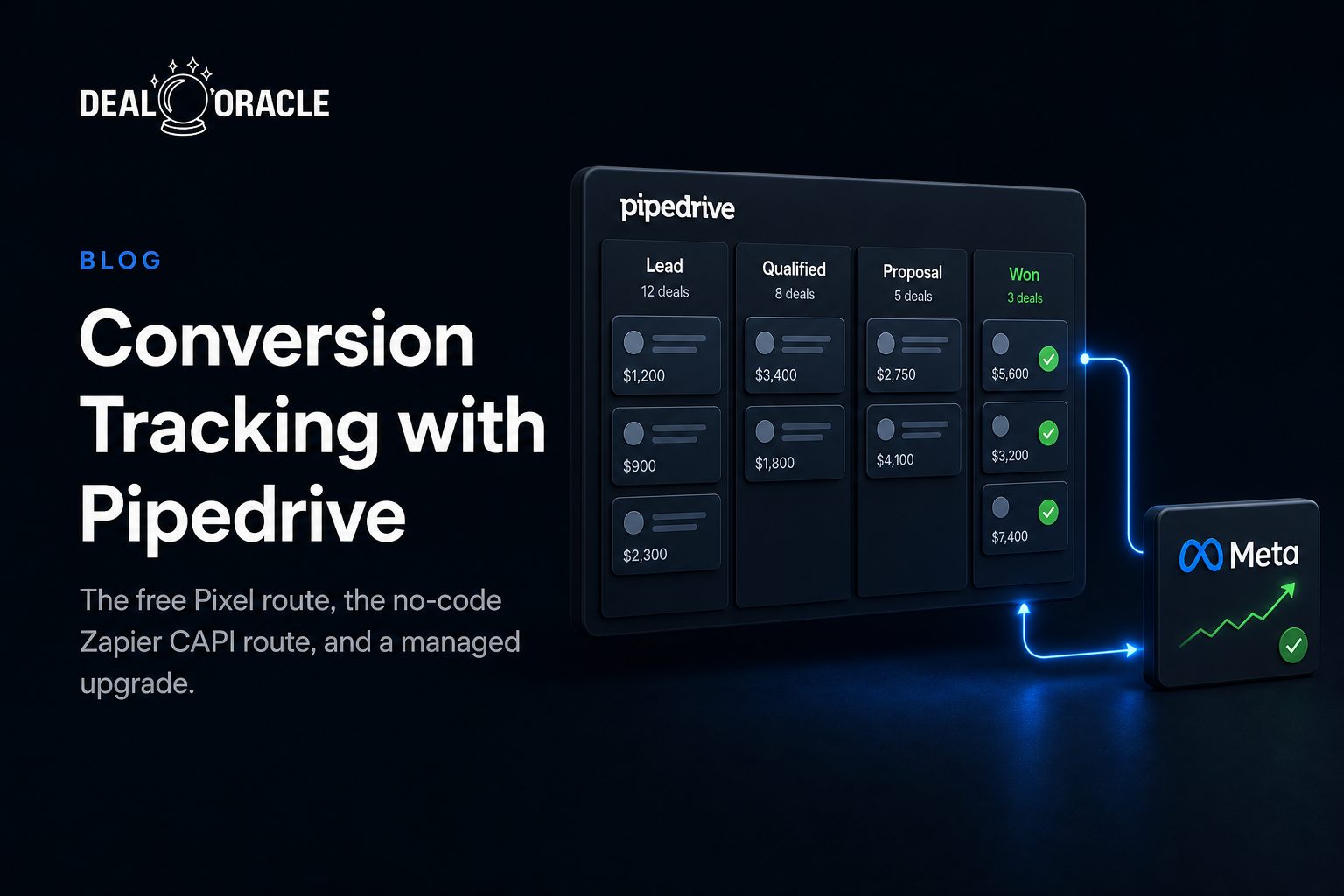
- It only sees the form submission. Once the lead lands in Pipedrive, the browser session is over, Qualified, Proposal, and Won stage changes are invisible to the Pixel.
- Match quality is whatever the browser can send. No hashed CRM email/phone enrichment from your deal records.
If top-of-funnel form tracking is all you need, the free Pixel is genuinely enough, stop here. If you want server-side or down-funnel stage tracking, you need CAPI, which means a connector.
| Capability | Free (Meta Pixel) | Zapier CAPI | DealOracle |
|---|---|---|---|
| Meta Pixel (browser events) | Yes | Yes (still add Pixel) | Yes |
| Server-side CAPI | No | Yes | Yes |
| Down-funnel CRM stage events | No | Yes (per Zap) | Yes (stage mapping) |
| Hashed PII match quality | Browser-only | Depends on fields passed | Hashed email/phone |
| fbc/fbp click-ID recovery + event dedup | Limited | Manual / partial | Recovered + shared event_id |
| Google & TikTok too | Separate setup | Separate Zaps | Included |
| Setup effort | ~15 min | Per-event Zap building | Connect + map stages |
| Ongoing cost / metering | Free | Per-task Zapier billing | Managed, no per-task meter |
| Maintenance | Manual snippets | You own the Zaps | Nothing to host |
The No-Code CAPI Route: Zapier or LeadsBridge
Before reaching for a managed product, there's a popular no-code CAPI route: Zapier.
Zapier offers a Pipedrive + Facebook Conversions integration. The pattern: trigger on a Pipedrive event, most usefully "Deal stage updated", and run a Facebook Conversions action ("Create Conversion Event" / publish funnel events) that sends a server-side conversion to your Meta dataset. See Zapier's Pipedrive Facebook Conversions Integration. LeadsBridge offers a similar bridge.
This genuinely gets you down-funnel server-side events without code. The honest caveats:
- Zapier bills per task. Every triggered Zap run consumes a task from your plan, so a busy pipeline with multiple mapped stages can burn through quotas, and you upgrade plans (and cost) to keep up.
- You build and maintain one Zap per event (Qualified, Proposal, Won), mapping the identity/click fields by hand in each.
- Match quality and dedup are on you, you decide which fields to pass and whether to share an
event_idwith your Pixel to avoid double-counting. - It's Meta-only by default. Google and TikTok need separate Zaps.
For low volume and one or two stages, Zapier is a reasonable, cheap CAPI on-ramp. At scale, the per-task metering and manual upkeep are why people look for a managed option.
Option 2: DealOracle: the Affordable Done-For-You Upgrade
DealOracle is the managed alternative to wiring up Zapier task-by-task. It ships a native Pipedrive integration: connect your account, then map pipeline stages to standard server-side events, no Zaps to build, no GTM container to host, no per-task meter.
What it adds over the free and Zapier routes:
- Server-side events on stage change, down-funnel, where the browser Pixel is blind. Map Qualified Lead, Converted Lead, and Purchase/Sale to your Qualified, mid-funnel, and Won stages.
- Hashed PII (email, phone) so identifiers match real users without raw customer data leaving in the clear.
- fbc/fbp recovery + shared event_id dedup so click context survives to the closed deal and Pixel/server events don't double-count.
- Meta CAPI, Google Enhanced Conversions, and TikTok from one mapping, not three separate Zap chains.
- No per-task billing, and nothing to host or maintain.
The optional on-page snippet below captures UTMs and fbclid/gclid at first touch on your Web Form's host page. Add your domain under Allowed Domains and confirm with the Verify Pixel Installation tool.
Connect Pipedrive, map your stages, and optimize on closed revenue instead of cheap leads, book a demo.
<!-- dealoracle snippet -->
<script>
  (function(d,o){
    d.dealoracle=d.dealoracle||function(){var a=Array.prototype.slice.call(arguments);(d.dealoracle.q=d.dealoracle.q||[]).push({method:a[0],args:a.slice(1)})};
    var s=o.createElement('script');s.async=1;
    s.src='https://proxy.trc-kng.com/functions/v1/sdk-serve';
    o.head.appendChild(s);
  })(window,document);
  dealoracle('init', '<YOUR_CLIENT_KEY>');
</script>
Which Should You Choose?
No single right answer, it depends on how far down the funnel you need to track:
- Stick with the free Meta Pixel if you only need top-of-funnel form-fill tracking, run modest volume, and can live with client-side data loss. It's free and takes ~15 minutes.
- Use Zapier (or LeadsBridge) if you want down-funnel CAPI, are comfortable building and maintaining Zaps, and your deal volume is low enough that per-task billing stays cheap.
- Use DealOracle if you want server-side down-funnel stage events, hashed PII match quality, event dedup, Google/TikTok alongside Meta, and no per-task metering or infrastructure to babysit as you scale.
The deciding factors are usually volume (Zapier's per-task cost) and how much of the funnel you want your ads optimizing toward.
Verify It's Working
Whichever route you pick, confirm events actually arrive before trusting the data:
- In Meta Events Manager, open your dataset and use Test Events. For the free route, submit your Web Form and confirm a
PageViewandLead. For the Zapier or DealOracle route, move a test deal into a mapped stage and confirm the server-side event arrives with hashed identifiers attached. - Check the source side, in Zapier, open the Zap's task history to confirm the run fired; in DealOracle, run Verify Pixel Installation on the Tracking Pixel page (if you added the optional snippet) and confirm your domain is under Allowed Domains.
- In Google Ads (if applicable), check conversion diagnostics to confirm Enhanced Conversions are recording and matched.
- Watch a real stage change, drag a test deal into Qualified, then Won, and confirm a corresponding conversion lands for each mapped stage.
Bottom Line
Pipedrive has no native Meta CAPI, so the honest path is layered: paste the free Meta Pixel on your Web Form's host page for top-of-funnel tracking, add Zapier (or LeadsBridge) if you want no-code down-funnel CAPI at low volume, and move to a managed integration like DealOracle when per-task billing and manual upkeep stop scaling. Pick the level of accuracy your ad spend actually needs.
New to server-side tracking? Start with our server-side tracking beginner's guide, or tighten attribution with our UTM tracking setup guide.