Key Takeaways
- Your attribution window (1-day click, 7-day click, or 7-day click + 1-day view) decides which conversions Ads Manager reports, and which campaigns Meta's algorithm funds with budget. - Switching from 7-day click to 1-day click does not break your ads; it just shrinks the lens. On a long consideration cycle, a short window hides real conversions and makes good campaigns look dead. - Post-iOS 14, reported ROAS in Ads Manager typically reads 20-40% lower than true ROAS, because Meta underreports conversions by roughly 15-30% (up to ~50% on high-iOS accounts). - Standardize one attribution window across every campaign. Comparing a 1-day-click campaign against a 7-day-click campaign is comparing two different rulers. - To measure true ROAS, recover lost conversions with the server-side Conversions API and reconcile against independent click-to-revenue data.
Two marketers can look at the exact same Facebook campaign and disagree about whether it is profitable. One sees a 3.1x ROAS and scales. The other sees 1.4x and pauses it. Neither is lying, they are reading two different attribution windows.
The attribution window is the single most misunderstood setting in Meta Ads Manager, and it quietly distorts almost every budget decision marketers make. This guide explains what each window actually counts, why your reported ROAS is almost certainly lower than your real ROAS, and the exact steps to measure the return you are truly earning.
The Problem
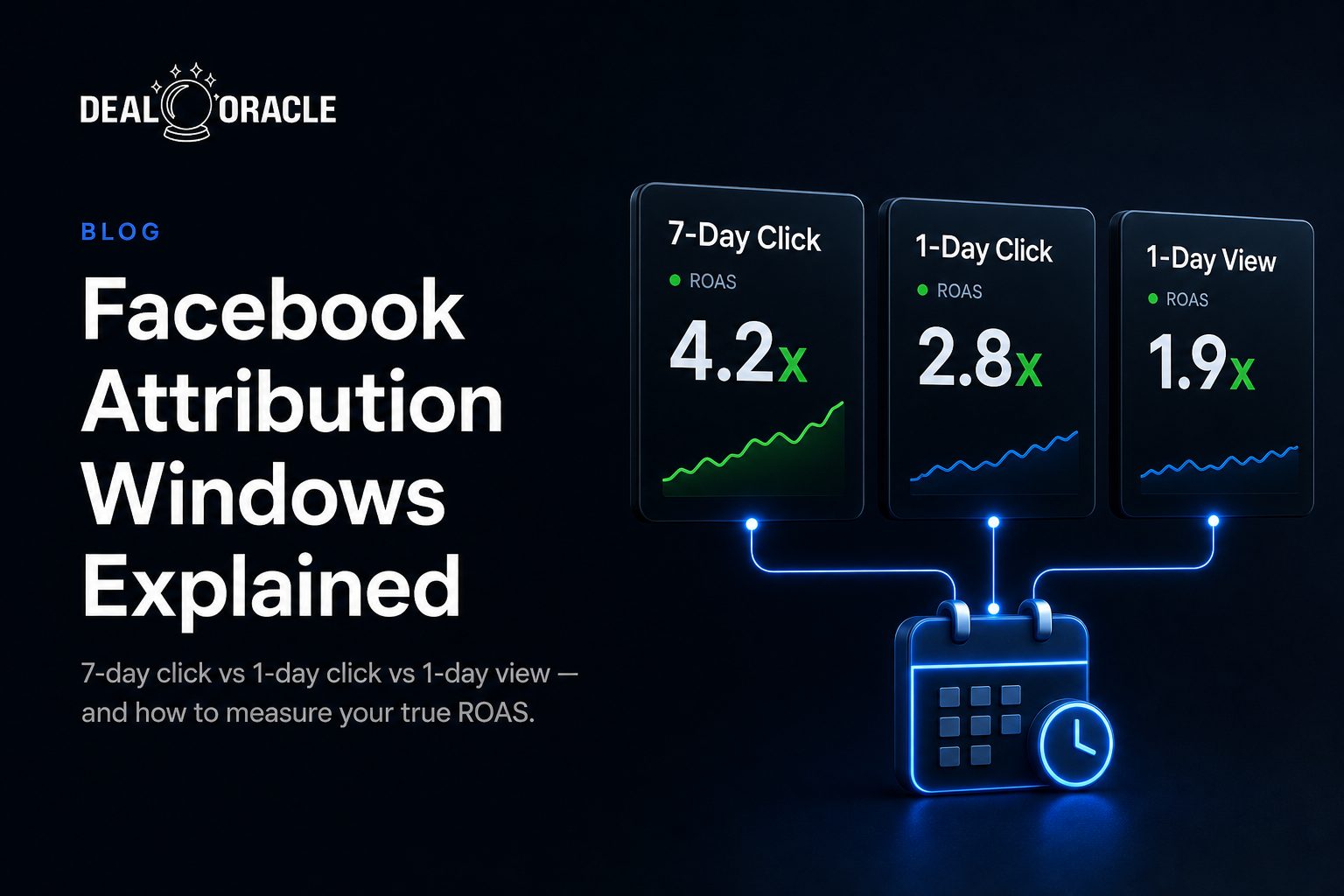
An attribution window is the period of time before a conversion during which Meta will credit a touchpoint (a click or a view) for that conversion. Facebook offers three settings: 1-day click, 7-day click, and an optional 1-day view. Whichever you choose determines:
- The number of conversions Ads Manager reports
- Your reported ROAS and CPA
- Which campaigns Meta's algorithm decides are winners and funnels budget toward
That last point is what hurts. The window is not just a reporting cosmetic, it is the optimization signal. If your window is too short for how long people actually take to buy, Meta sees fewer conversions than really happened, learns from an incomplete picture, and starves campaigns that are quietly working. You then look at a deflated ROAS, conclude the campaign is broken, and pause a winner.
The reverse trap is comparison. If half your campaigns run on 7-day click and half on 1-day click, every side-by-side number in your account is meaningless. You are ranking campaigns measured with two different rulers and calling it a decision.
Why It Happens
The windows behave differently for a simple reason: longer windows catch more of the real buying journey.
- 1-day click only credits a conversion if the user clicked your ad and converted within 24 hours. Great for impulse, low-ticket offers. Brutal for anything with a multi-day consideration cycle, because it discards every buyer who clicked Monday and purchased Thursday.
- 7-day click credits a click-then-convert within seven days. This is why moving 7-day click → 1-day click reduces reported conversions: you are not losing performance, you are shrinking the lens and refusing to count delayed buyers.
- 1-day view credits a conversion when the user saw the ad (no click) and converted within 24 hours. It captures view-through influence but is the noisiest signal, so it inflates volume.
Layered on top of this is the bigger distortion: iOS 14+ App Tracking Transparency. Since most iPhone users opt out of tracking, Meta cannot observe many post-click conversions at all and falls back to modeled (estimated) numbers. The net effect across typical accounts is that Ads Manager underreports conversions by roughly 15-30%, and on accounts with a high share of iOS traffic the gap can reach ~50%. That translates to a reported ROAS that runs 20-40% below true ROAS even when your window is set correctly. See our full breakdown in iOS 14 Data Loss: Complete Recovery Guide.
Meta documents the mechanics of these settings in its official help center. See About Attribution Settings (Meta Business Help Center) for how to view and change the window, and note that you can apply 1-day or 7-day click and 1-day view at the ad set level.
| Attribution Setting | Reported Volume | Best For | Main Risk |
|---|---|---|---|
| 1-day click | Lowest | Impulse / low-ticket offers, short sales cycles, paid social with same-session purchases | Hides delayed buyers; under-credits ads on any multi-day consideration cycle and can pause real winners |
| 7-day click | Higher | Considered purchases, lead-gen, mid-to-high ticket where buyers return days later | Can credit conversions that other channels also influenced; slightly slower, fuller feedback to the algorithm |
| 7-day click + 1-day view | Highest | DTC ecommerce default; brands wanting click + view-through influence captured | View-through is the noisiest signal and can overstate Facebook's share of credit |
How to Fix It
Fixing attribution is two jobs: pick and standardize a window, then recover the conversions Meta cannot see so your ROAS reflects reality.
1. Pick the window that matches your buying cycle
Measure how long your buyers actually take from first click to conversion. If most convert same-day, 1-day click is honest. If a meaningful share converts on days 2-7 (true for most lead-gen and considered purchases), use 7-day click. For DTC ecommerce, the field default is 7-day click + 1-day view.
2. Standardize it across every campaign and comparison
Set the same attribution window on every campaign you intend to compare. Mixed windows make ROAS, CPA, and "which ad won" comparisons invalid. Document your chosen standard so nobody silently changes it mid-test.
3. Stop treating reported ROAS as true ROAS
Assume Ads Manager is undercounting by 15-30% (more on iOS-heavy accounts) and build that haircut into your targets. A campaign reading 1.8x reported may be clearing 2.4x in reality. Do not pause on reported numbers alone.
4. Recover the missing conversions with the Conversions API
Implement server-side tracking via the Conversions API (CAPI) to send conversions directly from your server, bypassing browser, cookie, and ATT restrictions. This is what closes most of the reported-vs-true gap. New to it? Start with our Server-Side Tracking Beginner's Guide.
5. Reconcile against independent click-to-revenue data
Do not trust a single platform's self-reported scoreboard. Track click → revenue independently (your CRM or backend), and use multi-touch attribution to see Facebook's contribution alongside Google, email, and organic. Where your backend revenue and Meta's reported revenue disagree, your true ROAS lives in between, closer to backend the better your server-side coverage.
How DealOracle Handles This
The accuracy problem is really a data coverage problem: you cannot measure true ROAS on a window if a third of the conversions never reach Meta. DealOracle closes that gap automatically. It sends server-side events through the Conversions API with SHA-256 hashed PII, recovers the fbc and fbp click identifiers that browser tracking drops, and generates a shared event_id so your Pixel and server events deduplicate cleanly, no double counting, no missing conversions.
- Recovers iOS-lost conversions so your chosen window reports closer to true volume
- Auto-generates shared event_ids for clean Pixel ↔ CAPI deduplication
- Captures fbc/fbp at submission so delayed (7-day) conversions still match
- Feeds Meta's algorithm complete signal, so budget flows to real winners
The result: the ROAS in Ads Manager moves toward the ROAS in your bank account. Book a demo to see your recovered-conversion gap on a live account.
Bottom Line
The attribution window is a lens, not a verdict. Pick the one that matches your buying cycle, standardize it everywhere, and remember that whatever ROAS Ads Manager shows is almost certainly a floor, not the truth. The marketers who win are the ones who recover the conversions Meta cannot see and reconcile reported numbers against real revenue. Start by closing the data gap with the Server-Side Tracking Beginner's Guide.