Key takeaways
- Google will not count a booking as a conversion without a click code, the little code Google adds to your link when someone clicks the ad. Campaign name and source do not count. - When the workflow runs on a contact whose click code field is blank, it skips them. No error, no red banner. Sixty bookings, four conversions. - Three things eat the code before the form sees it: multi-step funnels, forms embedded in a box on the page, and short links that drop everything after the question mark. - Fix in two layers: catch the code properly (cookie, hidden field, no short links), then stop depending on it (enhanced conversions for leads matches by email and phone). - Sort your contacts by the click code field and count the blanks. That is your skip rate.
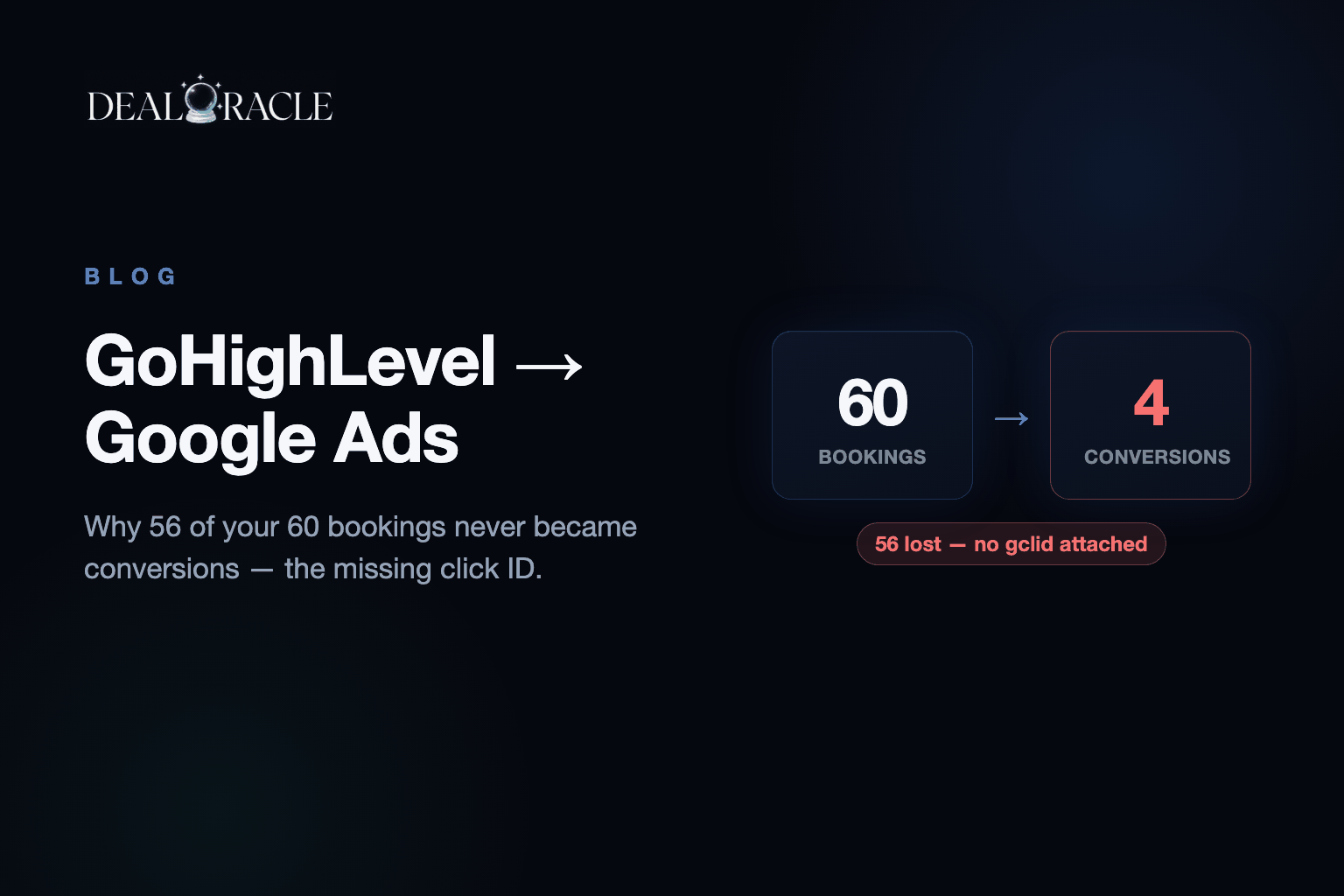
You built the workflow. Contact books a call, the Add to Google Ads action fires, the conversion goes back to Google. It works when you test it. Then you check Google Ads a week later and you have four conversions off sixty bookings.
The workflow is not broken. It ran fifty-six times and decided it had nothing to send.
The Problem
Google will not count a booked call as a conversion without a click code. That is the little code Google adds to the end of your link when someone clicks the ad, so it can prove the click happened. Not a campaign name. Not the source field. Those are yours, useful for reporting, and Google doesn't care about any of them.
So when the action runs against a contact where that field is blank, it skips them. No error. No red banner in the workflow history. It just moves on. Your real problem happened hours earlier, on the page, before that contact record existed. By the time the workflow runs, the data is already gone.
Go look at your contacts right now and sort by that field. However many are empty is how many conversions Google will never count.
Why It Happens
Three things eat the code before the form ever sees it. Your funnel probably does at least one.
Multi-step funnels. Someone clicks your ad and lands on step one with the code sitting in the link. They hit continue. Step two loads as a fresh page, and that URL is clean. The form is on step two. So the code was present for the one page nobody filled anything in on.
Embedded forms. GoHighLevel forms and surveys load inside a box on your page, and that box is technically its own little page. It cannot read the address bar of the page around it. It is a browser security rule and there is no way around it. Your form is sitting there unable to see the very thing you need it to capture.
Short links. You send ad traffic to a short link, or a domain that bounces to the real one. Most of those hand over the page and drop everything after the question mark. The code is everything after the question mark.
None of these break anything a client would report. The page loads. The form submits. The lead arrives and gets called. Only the link back to the ad silently dies, and the only place it shows is a conversion count that doesn't match your calendar.
| Funnel feature | Why the code disappears | Fix |
|---|---|---|
| Multi-step funnel | Step two loads as a fresh page with a clean URL | Save the code in a cookie on step one; fill the form from the cookie |
| Embedded form or survey | The box cannot read the page around it | Hand the code to the form's own address from the cookie |
| Short link or bouncing domain | Everything after the question mark is dropped | Point ads at the real page, or use a short link that keeps the query |
| Workflow with no guard | Skips blank contacts silently | Add a condition that checks the field before the Google Ads action |
How to Fix It
Two layers. Catch the code properly, then stop depending on it.
1. Save the code in a cookie the moment someone lands
A cookie is a small note the browser keeps, and it survives the walk from step one to step two, which the link doesn't. The script below does it: it reads the code from the URL, stores it for ninety days, and fills any hidden field named gclid from the cookie.
2. Fill the form from the cookie, not the link
Add a hidden field to the form and fill it from that cookie. For an embedded form, the box cannot read your cookie directly, so hand the code to the form's own address: the script appends gclid= and the value to the embed URL when the page loads, as long as the embed tag carries a data-gclid attribute. GoHighLevel's own capture then reads it from there.
3. Stop bouncing ad traffic through short links
Point your ads at the real landing page. If you must use a short link, make sure it keeps everything after the question mark, and test it by loading the link with a fake code on the end and checking it survives.
4. Guard the workflow
Add an If/Else before the Add to Google Ads action: contact field gclid is not empty. That doesn't recover anything, but it turns a silent skip into something you can see and count.
5. Turn on enhanced conversions for leads
This is the one that actually saves you. It matches the sale to the person using their email and phone number instead of the code. Your form collected both. So the conversions where the code went missing can still be matched by who they are, and a chunk of what you are losing comes back. Do this even if you do nothing else on the list.
<script>
  (function () {
    var fromUrl = new URLSearchParams(window.location.search).get('gclid');
    if (fromUrl) {
      document.cookie = 'gclid=' + encodeURIComponent(fromUrl) + '; max-age=' + (60 * 60 * 24 * 90) + '; path=/; SameSite=Lax';
    }
    var m = document.cookie.match(/(?:^|; )gclid=([^;]*)/);
    var gclid = m ? decodeURIComponent(m[1]) : '';
    document.querySelectorAll('input[name="gclid"]').forEach(function (el) { el.value = gclid; });
    document.querySelectorAll('iframe[data-gclid]').forEach(function (f) {
      if (gclid && f.src.indexOf('gclid=') === -1) {
        f.src += (f.src.indexOf('?') === -1 ? '?' : '&') + 'gclid=' + encodeURIComponent(gclid);
      }
    });
  })();
</script>
What the blanks cost
Google wants at least thirty conversions a month for target cost per action to stay stable, and fifty for target return on ad spend. Feed it four and it has nothing to learn from, so it falls back to optimising for form fills. And conversions carrying customer data must be uploaded within sixty-three days of the click, so last quarter's lost bookings are not coming back. Fix the capture today and you only lose what is already gone.
How DealOracle Handles This
If you run one funnel, on one domain, with no short link and a form that isn't embedded, the cookie and the hidden field will hold and you are fine. Do that and skip the rest.
It stops holding at scale. Twenty sub-accounts, every client with their own funnel and their own short link habits, and you are hand-checking twenty setups and finding the broken one a month late. DealOracle catches the code on its servers instead, so it survives the steps and the embedded form, and sends email and phone alongside it for the ones where it never arrived.
Bottom Line
The workflow is fine. The code never made it to the form. Save it in a cookie on landing, fill the form from the cookie, stop bouncing traffic through short links, guard the workflow so skips are visible, and turn on enhanced conversions for leads so the misses still match by person. Then sort your contacts by the click code field once a week. The number of blanks is the number you are paying for and not counting.