Key takeaways
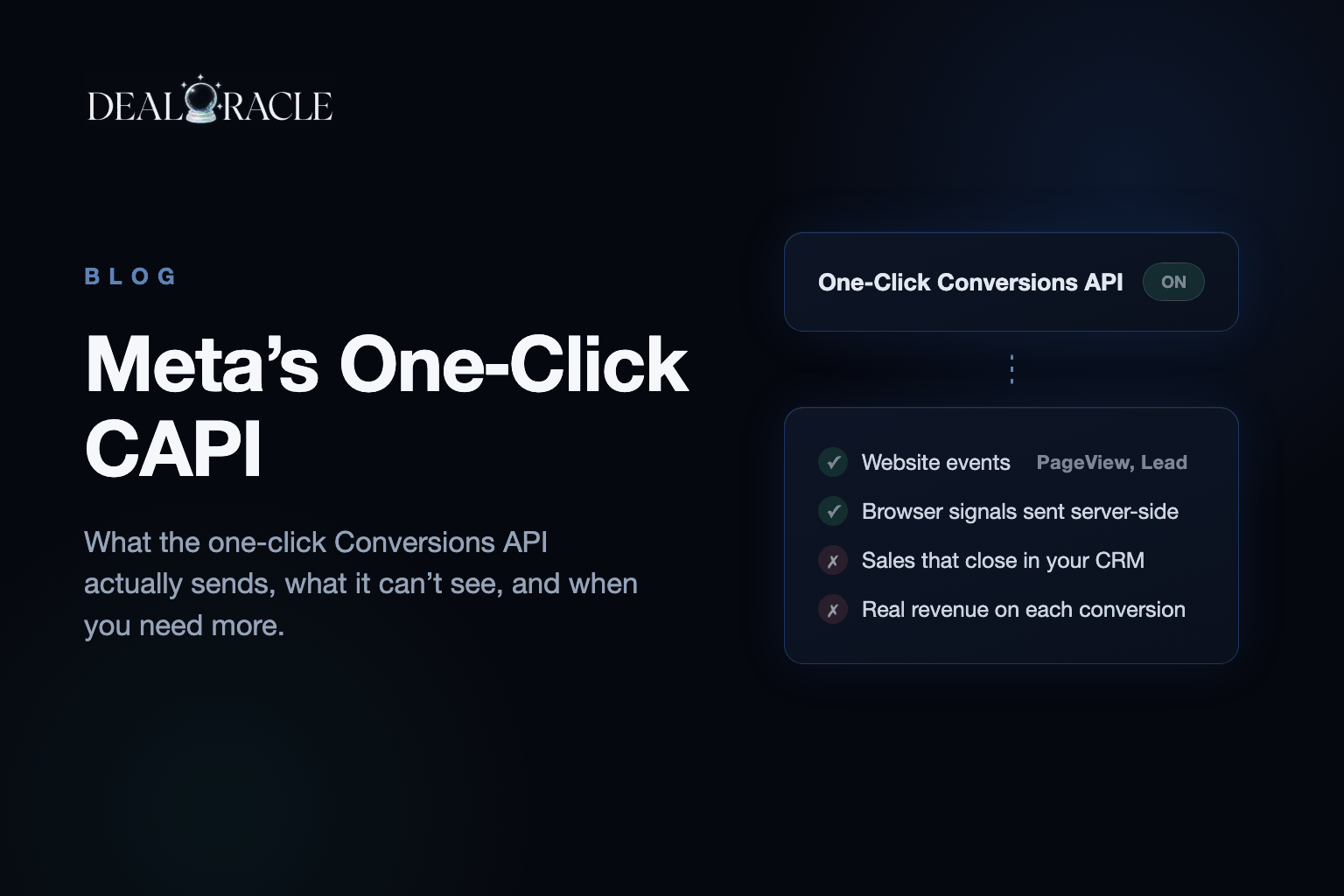
- Meta now turns on the Conversions API for free from inside Events Manager. No developer, no code. Turn it on. - It is a mirror, not a second road: it copies what your pixel already sent. When the pixel is blocked, it sends nothing. - Any sale that happens away from a web page, on a call, weeks later, in a CRM, never reaches Meta through it. - If everything you sell happens on your website in one sitting, the free button covers you. If your money arrives later, you need something other than the browser reporting the sale. - You can prove all of this on your own account in about ninety seconds with an ad blocker and the Test events tab.
Meta just gave away something half the tracking industry charges a monthly fee for. Open Events Manager, pick your dataset, go to Settings, find the section called Conversions API, and there is a button. Press it and Meta sets up server delivery of your events for free.
For a lot of businesses that is the entire job, finished, for nothing. Say that first, because most coverage won't.
The Problem
The button does something slightly different from what its name suggests. Normally your pixel runs in the visitor's browser, and the browser is what tells Meta something happened. The Conversions API is a second road: your own systems tell Meta directly, and the visitor's browser is never involved. That second road is the thing agencies bill for, because it survives ad blockers, Safari's limits and iPhones that opted out.
The one-click version does not build a second road. It watches what your pixel sends and copies it to Meta's servers. Same events, same details, nothing the pixel didn't already know. It is a mirror. And a mirror has nothing to reflect when the pixel never fired.
How to See It on Your Own Account
Turn the button on, give it a few hours of real traffic, then go back to the Overview tab and look at any event row. Find where Meta breaks down how each event arrived. You will see the browser count and the server count marching in step: 1,000 and 1,000, straight down the list.
That looks like success. It is the tell. The second number is a reflection of the first.
So the useful question is not whether your Conversions API is on. It is: what happens when the pixel doesn't fire?
The ninety-second test
- Open the Test events tab and put your own website in a second window.
- Submit a real form. Two rows land: one from the browser, one from the server, and Meta counts them once because both carry the same receipt number. That part is genuinely well built.
- Switch on an ad blocker, or use a browser with tracking protection, and submit again.
- Watch the rows. Nothing arrives. Not from the browser, and not from the server either. The pixel never fired, so the mirror had nothing to copy.
A real second road behaves differently in step 4. You still see one row, from the server, because your systems took the form submission and reported it without asking the browser for permission. One row instead of none is the entire difference.
| Situation | One-click button | Your own systems reporting |
|---|---|---|
| Pixel fires normally | Sends a copy of the pixel event | Sends its own event |
| Pixel blocked by an ad blocker or tracking protection | Sends nothing | Still sends |
| Deal closes on a phone call three weeks after the form | Never sent, there was no page | Sent from the CRM when the stage changes |
| Customer details Meta can match on | Only what the pixel had | Email and phone from your own records |
| Setup | One click | An integration |
| Cost | Free | Paid |
The Gap That Never Shows in Events Manager
Here is a lead that filled in your form three weeks ago and closed yesterday, on a phone call, for real money. Ask which browser was open at the moment that deal closed. None. Nobody was on your website, so there was no page, no pixel, and no event for the mirror to copy. Meta never hears about the one thing you care about most: that this click eventually turned into revenue.
That matters because of how Meta finds your next customer. It studies the people who converted and goes looking for more like them. Run a hundred real sales through a pixel-only setup and roughly fifty-eight get matched to a person. Send them from your own systems, with the customer's email and phone attached, and it is about ninety-five. Those are DealOracle's own published match rates.
The mirror does not move you from fifty-eight to ninety-five. It copies the same fifty-eight and delivers them twice. The forty-two you are missing are the iPhone buyers, the blocked browsers, and every deal that closes on a call.
Who should stop at the free button
If everything you sell happens on your website in a single sitting, turn the free button on and stop. Adding anything on top would be paying for a gap you don't have. If your revenue shows up later, in a CRM, after a call, the button cannot see it, and something else has to report the sale.
How DealOracle Handles This
DealOracle is the second road for businesses whose sale happens after the form. When a deal's stage changes in your CRM, it sends that event to Meta from the server, attaches the customer details the pixel never had, and uses the same receipt number as the browser event so nothing is counted twice. The pixel can be blocked, the deal can close three weeks later on a call, and Meta still learns which ad produced a buyer.
- Turn the free button on either way. It costs nothing and it is genuinely good.
- Then write down which of your conversions happen away from a web page. That list is the part the mirror can't send.
Bottom Line
Meta's one-click Conversions API is a free mirror of your pixel. Turn it on. Then be honest about where your sales actually happen. If the form is the sale, you are done. If the sale is a call, a quote, a signed contract or a CRM stage weeks later, the mirror never sees it, and neither does Meta's bidding. Prove it to yourself with the ad-blocker test, then decide whether you need a second road.