
What is Server-Side Tracking?
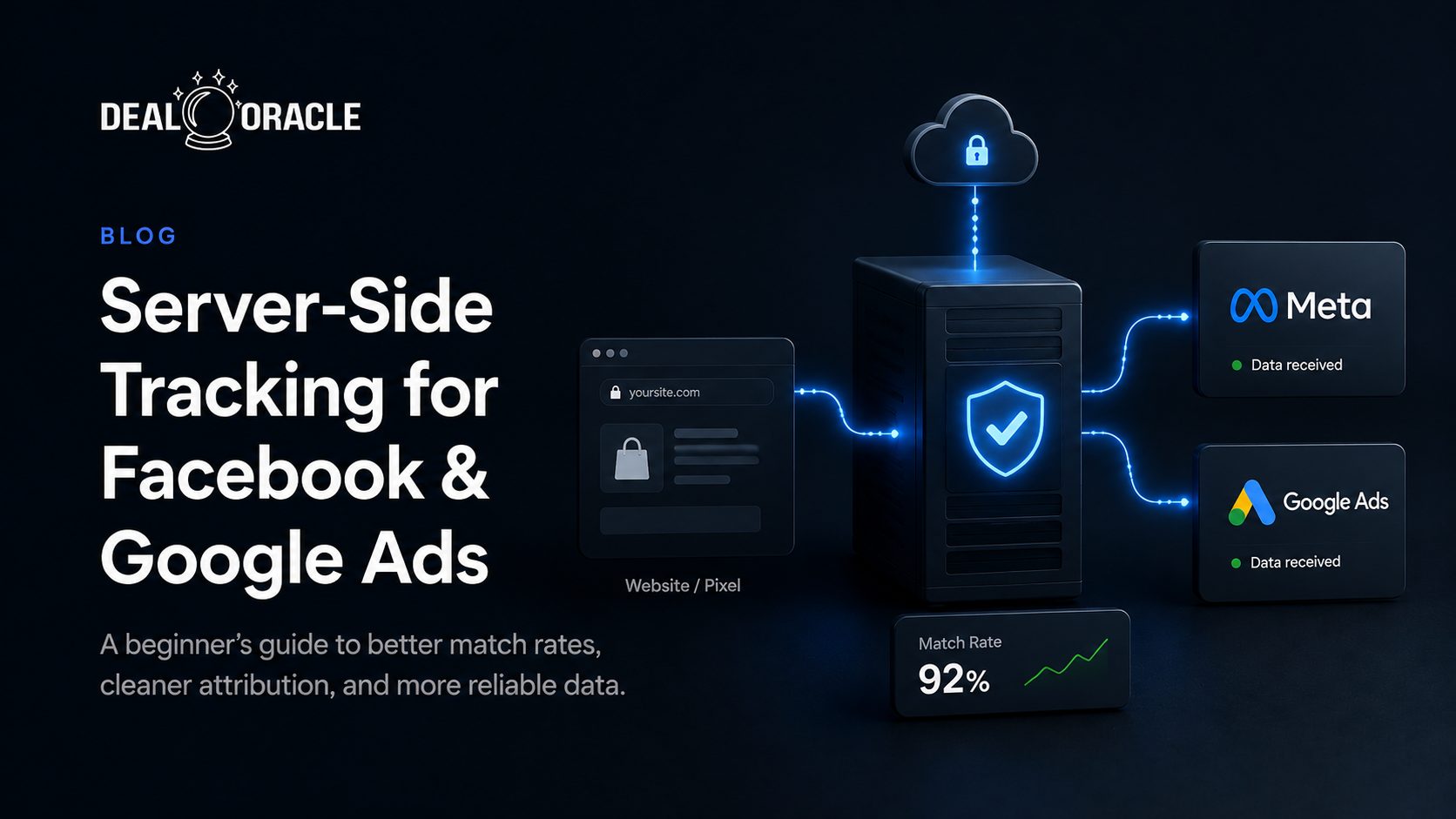
Server-side tracking is a method of collecting and sending user data directly from your server to analytics and advertising platforms, rather than relying on browser-based tracking (like JavaScript pixels).
Think of it like this:
- Browser-side tracking: A tiny spy in the user's browser watching everything and reporting back
- Server-side tracking: Your server directly communicating important events to ad platforms
Why Server-Side Tracking Matters
1. Privacy Regulations
GDPR, CCPA, and other privacy laws are limiting what data can be collected through browsers. Server-side tracking gives you more control over what data is shared and how.
2. Browser Restrictions
Safari's ITP, Firefox's Enhanced Tracking Protection, and Chrome's upcoming Privacy Sandbox all limit browser-based tracking. Server-side bypasses these restrictions.
3. Ad Blockers
Over 40% of users have ad blockers that prevent pixels from firing. Server-side tracking isn't affected by ad blockers.
4. iOS 14+ Impact
Apple's App Tracking Transparency has caused 42% signal loss for Facebook advertisers. Server-side tracking recovers most of this lost data.
How Server-Side Tracking Works
The Flow
- User clicks on your ad
- User lands on your website with a click ID (fbc, gclid, etc.)
- User fills out a form with their contact information
- Your form submission is sent to your server/CRM
- Your server sends the conversion event to ad platforms via API
- Ad platforms match the conversion to the original click
Key Components
- Click IDs: Unique identifiers passed in URL parameters (fbc, gclid, ttclid)
- First-Party Data: User information collected directly (email, phone, name)
- API Connections: Server-to-server integrations with Facebook CAPI, Google Enhanced Conversions, etc.
- Data Hashing: SHA-256 encryption of PII before transmission
| Feature | Browser-Side | Server-Side |
|---|---|---|
| Ad Blocker Immunity | No | Yes |
| iOS 14+ Compatible | Limited | Yes |
| Cookie Restrictions | Affected | Not affected |
| Data Control | Limited | Full control |
| Setup Complexity | Easy | Moderate |
| Match Quality | 45-60% | 90-98% |
Getting Started with Server-Side Tracking
Option 1: DIY Implementation
You can implement server-side tracking yourself by:
- Setting up Facebook Conversions API manually
- Implementing Google Enhanced Conversions
- Building webhook integrations with your CRM
- Writing code to hash PII and format API requests
This requires significant development resources and ongoing maintenance.
Option 2: Use DealOracle
DealOracle provides server-side tracking as a service: - No coding required - Pre-built integrations with major CRMs and landing page tools - Automatic PII hashing and data formatting - Real-time event delivery to all ad platforms - Analytics dashboard for monitoring match quality
Best Practices
1. Capture Click IDs Early
Add hidden fields to your forms that capture fbc, fbp, gclid, and ttclid from URL parameters and cookies. The earlier you capture these, the higher your match rate.
2. Collect Multiple Identifiers
The more data points you have (email + phone + name + IP + user agent), the higher your match quality with ad platforms.
3. Send Events Promptly
For best match rates, send conversion events as soon as possible after they occur. DealOracle processes events in real-time.
4. Monitor Your Match Quality
Regularly check your Event Match Quality in Facebook Events Manager and your conversion diagnostics in Google Ads.
Conclusion
Server-side tracking is no longer optional — it's essential for effective digital advertising in 2026 and beyond. Whether you build it yourself or use a platform like DealOracle, implementing server-side tracking will improve your conversion attribution and campaign performance.